Easily transfer files to your Samsung device
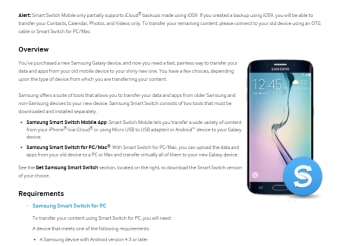
Samsung Smart Switch is a free and easy-to-use personalization application that lets users transfer files to their new Samsung device. Designed for PCs, this tool supports backup creation and lets users update their mobile phones to the latest version. With its help, you can transfer files from your PC to any Galaxy series or Note series device.
Samsung Smart Switch functions similarly to SHAREit, Zapya, and File Transfer for Windows, which offers various features that make transferring files easier. This app works even if you don’t own a Samsung handset as you can complete transfers using a USB cable, internet, or your computer.
How to use the Samsung Smart Switch?
In Samsung Smart Switch, when transferring files using the internet, you need to install the app first. Meanwhile, if you’re using a USB cable, downloading the app isn’t mandatory. With this, the app makes it easy to transfer contacts, pictures, videos, calendar events, notes, data, and apps, directly to your new phone. Once the transfer is complete, the layout of your new handset will mirror the display of your old phone.
When you download the app on your PC, you get access to a clean and simple interface. The program gives users easy-to-use migration software, making switching phones a hassle-free experience. Once installed, all you need is a stable internet connection, and you’ll be able to transfer all the files stored on your PC to your new Samsung phone by following simple instructions.
Apart from these functions, you can also use this personalization app to create backup files, upgrade your phone to the latest version, and replicate your old phone’s display on your new device. The app is also a great addition for PC users who own a Samsung handset. However, this app works best between Samsung devices. Transferring from non-Samsung phones might result in missing data or incomplete transfers.
A must-try app for Samsung users
Samsung Smart Switch is an essential tool for anyone upgrading to a Samsung phone. Its versatility, user-friendly interface, and multiple transfer options make it a standout choice for data migration. While minor compatibility issues exist, the app’s convenience and efficiency far outweigh these drawbacks. If you're switching to a new Samsung device, this app ensures a seamless and stress-free transition.